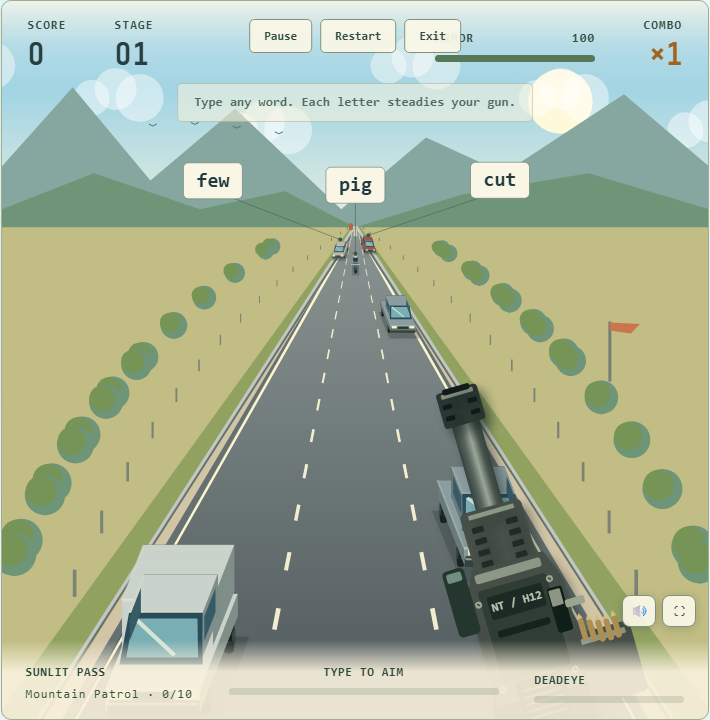
 Highway arcade
Snipe Type
Play Snipe Type →Type target words to stop a convoy, intercept attacks, and face bosses.

Free typing games to build speed and accuracy.
Highway arcadeType target words to stop a convoy, intercept attacks, and face bosses.
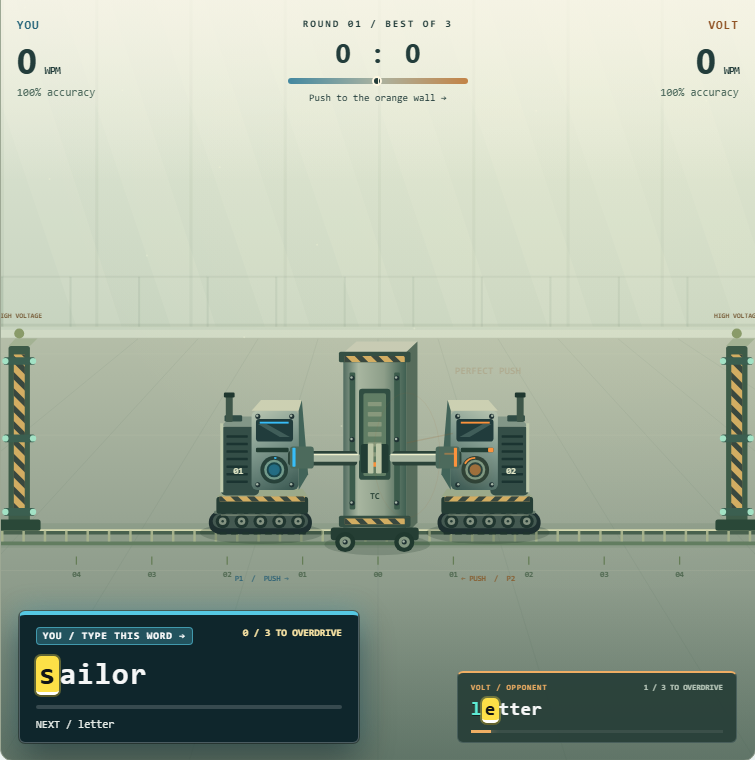 Competitive arena
Challenge a bot or take turns in local versus. Type to push the barrier.
Typing practice does not always need to feel like a test.
NepalType Typing Games turn your keyboard into part of the gameplay, giving you a more entertaining way to practise English typing while working on speed, accuracy, reaction time and keyboard confidence.
Instead of repeatedly typing fixed paragraphs, you interact with the game by typing words correctly. Your typing directly affects what happens on screen, making every round feel more active than a traditional typing drill.
All current NepalType games use English words and QWERTY keyboard typing, making the games suitable for typists around the world.
Open a game, place your hands on the keyboard and start typing.
NepalType typing games run directly in your web browser.
There is no separate game installation required. Choose a game and start playing with your physical keyboard.
These games are designed for people who want to:
Whether you are a beginner building confidence or an experienced typist looking for a faster challenge, typing games can add variety to your normal practice routine.
A good typing game should not simply place a timer beside a paragraph.
The keyboard should actually control the gameplay.
In NepalType games, words become part of the challenge. You may need to type quickly to attack, defend, move forward, stop an obstacle or survive a difficult situation.
That creates a simple loop:
See the word → Type correctly → React → Continue playing
As the game becomes more demanding, you need to stay accurate while responding faster.
This gives you a different experience from a normal typing test where the main goal is only to finish a passage and see your WPM.
Traditional typing tests are useful when you want to measure your words per minute (WPM) and accuracy.
But measuring typing speed is not the same as practising every day.
Sometimes you simply want a reason to keep typing.
Typing games create short challenges, scores, pressure and immediate feedback that can make repeated keyboard practice feel less repetitive.
You are still typing English words, but your attention is focused on completing the game rather than watching a timer.
After playing, you can return to a normal typing test to see how your speed and accuracy are progressing.
Fast typing is useful only when you can maintain control.
If you make frequent mistakes while trying to type faster, slow down slightly and concentrate on entering each word correctly.
A useful approach is:
First — recognise the word
Read the entire word before rushing into the first few letters.
Second — type accurately
Try to press the correct keys without unnecessary corrections.
Third — build rhythm
As common key combinations become familiar, your fingers can move more smoothly between letters.
Then — increase your speed
Let speed develop as correct typing becomes easier.
The same principle applies whether you are playing a typing game, completing a lesson or taking a typing speed test.
You do not need to be a fast typist before you can enjoy typing games.
Beginners can use slower game sessions to become more comfortable finding letters on a QWERTY keyboard.
When starting, focus on:
Do not worry if your first scores are low.
The purpose of early practice is to become familiar with the keyboard.
As the positions of common letters become easier to remember, you can begin responding to words more quickly.
Typing games can also become challenging for experienced typists.
At higher speeds, the difficulty is no longer simply finding the keys.
You need to:
That makes arcade-style typing useful as an additional challenge alongside regular WPM testing.
You can replay the same game and try to beat your previous score rather than simply completing another identical paragraph.
Typing games and typing tests serve different purposes.
Typing games make typing part of an interactive challenge.
They are useful when you want:
Typing tests are better when you want to measure:
You do not need to choose only one.
A good routine can include both.
Play typing games to practise.
Use typing tests to measure your progress.
Typing games give you another way to spend more time actively using the keyboard.
To improve, however, do not focus only on playing as fast as possible.
Pay attention to accuracy, difficult key combinations and mistakes that repeatedly slow you down.
You can combine several types of practice:
Structured lessons
Useful when learning keyboard positions and proper typing patterns.
Typing games
Useful for interactive practice and keeping sessions engaging.
Typing speed tests
Useful for checking WPM and accuracy.
Free typing
Useful for applying your keyboard skills to real writing.
Using different forms of typing practice can keep training from becoming repetitive.
You do not need to play for hours.
Try a short routine:
Regular short sessions can be easier to maintain than occasional long practice sessions.
NepalType is building typing games where typing is the main control mechanic, not something added beside the game.
The goal is simple:
Make keyboard practice feel like playing.
Instead of only showing another paragraph and timer, each game can introduce a different challenge, environment or typing mechanic.
As more games are added, players will be able to practise typing through different styles of gameplay while using the same familiar English QWERTY keyboard.
Yes. You can play the available NepalType typing games online from the Games page.
Yes. The current NepalType typing games use English words and standard QWERTY keyboard input.
No. NepalType typing games are designed to run directly in a supported web browser.
Yes. Beginners can use typing games to become more comfortable locating keys and typing common English words.
Focus on accuracy before trying to type extremely fast.
Typing games provide repeated keyboard practice in an interactive environment. Combining them with accurate typing technique, lessons and regular speed tests can help you work on both speed and accuracy over time.
A typing game uses keyboard input as part of gameplay.
A typing test primarily measures your typing performance, usually through WPM, accuracy and errors.
Both can be useful for different parts of typing practice.
Game statistics depend on the individual game. Some typing games focus more on score, survival, progression or accuracy, while dedicated typing tests are better for measuring standardized WPM.
No.
Typing games can be played by students, adults, beginners, experienced typists, programmers, writers or anyone who wants a more interactive way to use and practise their keyboard.
Ready to turn your keyboard into the controller?
Choose a typing game above and start playing.
Type accurately, react quickly, beat your previous score and see how far your keyboard skills can take you.
Play. Type. Improve. Repeat.